Complete Visibility and Control Over Your Inventory

KIMCO’s Parts and Inventory Management capabilities give your team the tools they need to stay fully stocked and perfectly organized. From maintaining diverse part blueprints to automating your purchasing workflows, KIMCO ensures you always have what you need, when you need it.
MacBook mockup
Flexible Part Setup & Costing

Easily manage both purchased and manufactured parts within one system. Assign parts to specific material classes for automated markup estimating, and automatically track your true inventory value using either standard or dynamically updating average costing methods.
Automated Purchasing & Supply Requests

Stop manually calculating what to buy. The system continuously reviews engineered work orders, sales demand, and safety stock levels to automatically generate supply requests, allowing your team to create targeted purchase orders in seconds.
Real-Time Supply & Demand Tracking

Gain an immediate understanding of your entire inventory landscape. View on-hand quantities, active production demand, and incoming purchase orders directly on the part profile, or run comprehensive Supply and Demand reports to monitor your complete operation.
Deep Dive into KIMCO Parts & Inventory Capabilities

Explore the powerful, centralized tools designed to keep your shelves stocked and your costs precise. Whether you need to track serialized parts across multiple facilities or auto-generate purchase orders for an upcoming job, KIMCO provides unparalleled visibility.

Comprehensive Part Configuration

Automated Purchasing Workbench

Production Methods & Templates

Traceability & History Logging

Dashboard mockup

Comprehensive Part Configuration

Set up every part exactly how your business operates, with full control over purchasing details, stocking behaviors, and unit conversions.
Diverse Part Types: Classify your inventory effectively by setting up Purchased parts, Manufactured parts, or entirely custom classifications to perfectly match your specific workflow.
Unit of Measure Conversions: Purchase materials the way vendors sell them and stock them the way you use them. Easily set up purchase conversion factors.
Lot & Serial Tracking: Maintain strict compliance and traceability by configuring specific parts to be lot tracked or individually serialized across all of your inventory locations.

Automated Purchasing Workbench

Transform complex buying requirements into streamlined purchase orders using a powerful, automated purchasing workbench.
Generate Supply Requests: Let the system do the heavy lifting by scanning your active work orders, sales deliveries, and safety stock reorder points to generate a centralized list of exactly what needs to be purchased.
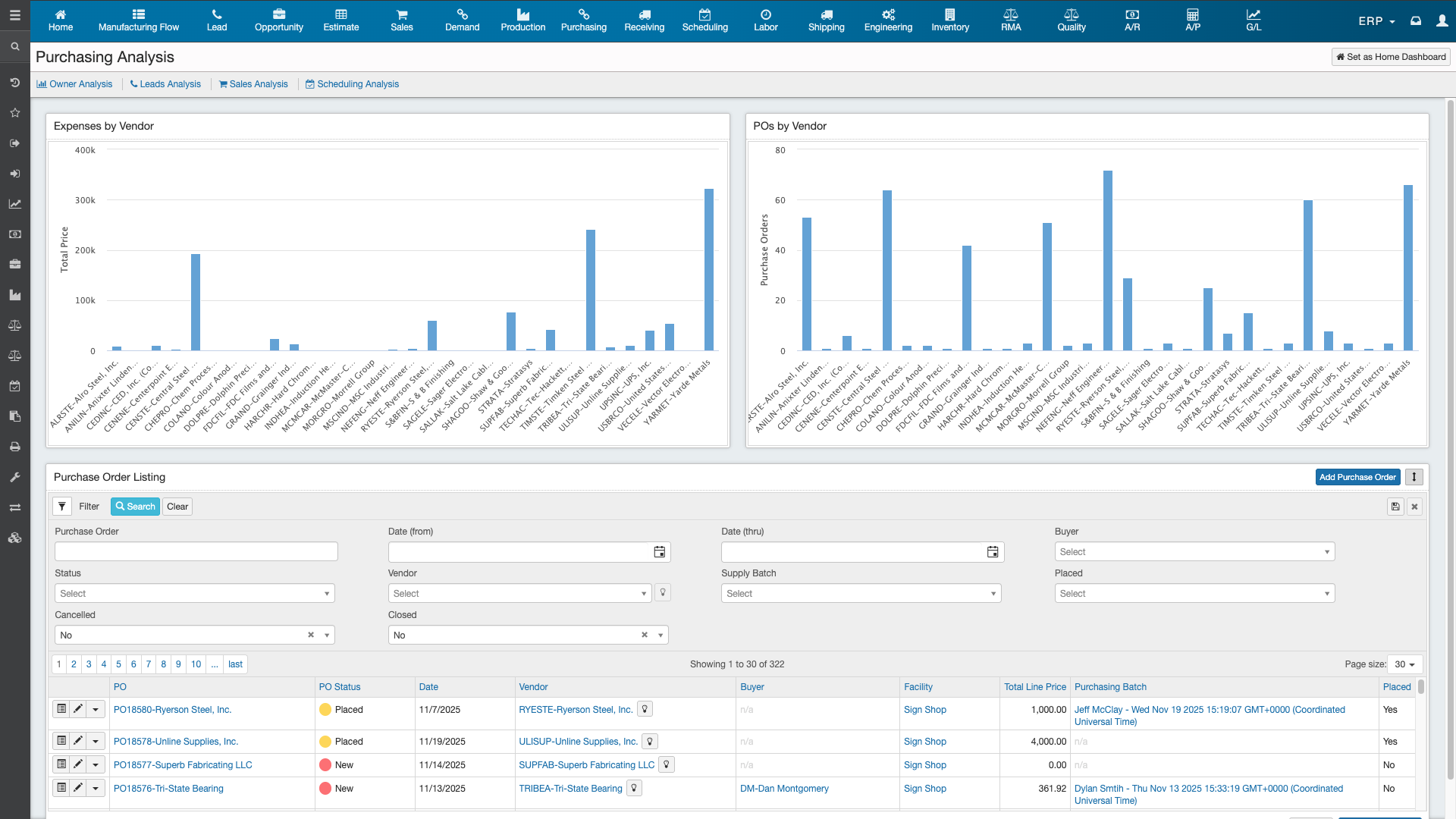
Advanced Purchasing Filters: Use targeted filters on the supply request screen to quickly sort required parts by specific vendors, material classes, or even dedicated work orders to consolidate your buying efficiently.
One-Click PO Generation: Select the required parts from your supply list, quickly override quantities or vendors if needed, and automatically generate batch purchase orders ready to be placed and received.
Dashboard mockup
Dashboard mockup

Production Methods & Templates

Standardize your manufacturing processes by building predefined templates that act as the blueprint for your complex fabricated parts.
Manufactured Part Blueprints: Set up complex manufactured parts with detailed "Production Methods" that define exactly what raw materials and operational labor steps are required to build them.
Seamless Work Order Creation: When a manufactured part is added to an estimate or work order, the system instantly pulls in its predefined production method, completely eliminating manual entry.
Multiple Production Options: Create and engineer multiple different production methods for a single manufactured part, giving your shop floor the flexibility to adapt to varying resource availabilities.

Traceability & History Logging

Never wonder where a part went or why a cost changed with robust, system-wide auditing and transactional tracking.
Production History Tracking: Instantly view a complete audit trail of every single transaction associated with a part, from PO receipts and inventory adjustments to NCR rejects.
Detailed Change Logs: Track precise data modifications over time. The Change Log shows exactly what field was altered (like total availability), what the old and new values are, who made the change, and exactly when.
Multi-Location Visibility: Easily manage inventory spread across different warehouses or shop floors by tracking exact on-hand quantities specific to individual physical locations.
Dashboard mockup

Ready to Take the Guesswork Out of Your Inventory?

Stop over-purchasing and running short on critical materials. Experience firsthand how KIMCO’s automated supply requests, dynamic costing, and real-time tracking can optimize your purchasing and keep your production moving flawlessly.
Dashboard mockup

Trusted by companies like: